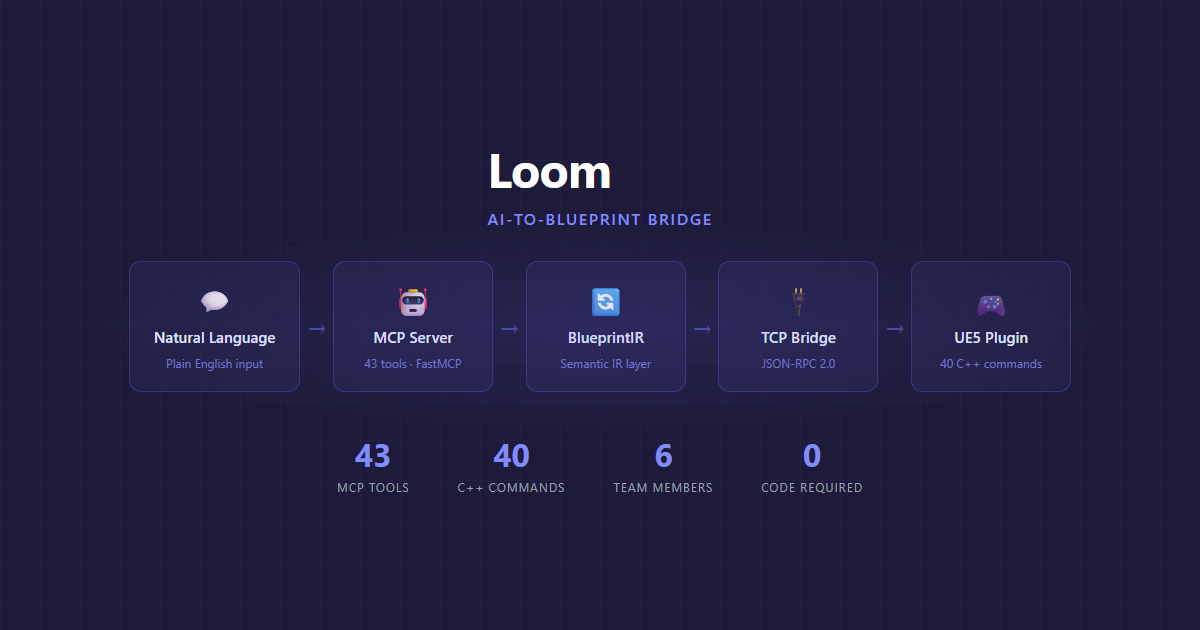
UE5 authoring is a thousand small manual steps. Loom turns them into one conversation.
Unreal Engine work scatters across the Blueprint editor, config files, build scripts, and a dozen asset editors. Loom puts one semantic layer over all of it: 41 namespaces and 558 operations that let anyone on the team ask for a replicated variable, a GAS ability, a sequencer track, or a C++ class and get it built, validated, and compiled. When Epic shipped its own official UE 5.8 MCP, Loom plugged into it instead of competing with it. One endpoint now serves both.
Blueprint Node Graph
What designers see when they open UE5
With Loom
user prompt
“Create a health pickup that heals 25 HP on overlap”
result
HealthPickup_BP compiled
OnOverlap → ApplyDamage(−25)
2 nodes · 1 event · validated
What a designer types into an AI assistant
the bottleneck
The setup tax
Every gameplay idea funneled through one person. Designers and artists opened the node graph and closed it. AI assistants could write code but had no way to touch UE5 Blueprints.
the result
Six people creating Blueprints independently
Designers, artists, and writers describe behavior in plain English. Loom handles the translation. The programmer ships features instead of answering questions.
layer 1
MCP Server
One FastMCP tool per namespace, 558 operations behind an op argument. Any MCP-compatible AI calls them.
layer 2
BlueprintIR
Turns raw Blueprint binary graphs into typed, machine-readable structure AI can reason about.
layer 3
C++ Plugin
Around 110 command files compiled into UE5. Every mutating op validates, compiles, and rolls back on failure.
the core abstraction
BlueprintIR
A structured intermediate representation of Blueprint graphs that AI can reason about. Raw node data is IDs, pixel positions, and opaque pin arrays. BlueprintIR carries the control flow, so mistakes get caught before they land in the graph.
What AI normally sees
{
  "nodes": [
    {
      "id": "K2Node_Event_42",
      "pos_x": -208,
      "pos_y": 16,
      "pins": [
        "ED43A1...", "B7F902..."
      ]
    },
    {
      "id": "K2Node_CallFunc_87",
      "pos_x": 304,
      "pos_y": 16,
      "pins": [
        "A9C3D4...", "E1F5B8..."
      ]
    }
  ],
  "connections": [
    ["ED43A1...", "A9C3D4..."]
  ]
}
Node IDs, pixel positions, opaque pin arrays
What AI sees with Loom
{
  "graph": "BP_HealthPickup",
  "exec_chain": [
    {
      "node": "EventBeginOverlap",
      "type": "event",
      "fires_on": "actor_overlap",
      "then": "ApplyHealing"
    },
    {
      "node": "ApplyHealing",
      "type": "function_call",
      "target": "OverlappingActor",
      "function": "AddHealth",
      "args": { "amount": 25 }
    }
  ],
  "data_flow": [
    "BeginOverlap.OtherActor → ApplyHealing.Target"
  ]
}
Typed nodes, execution order, connection semantics
one tool per namespace · 558 operations
“Describe what you want. Get a working Blueprint.”
The entire Hiraeth team uses Loom as their primary Blueprint workflow
Namespace Dispatch
Loom registers one MCP tool per namespace instead of one per operation. An op argument routes through a shared dispatcher that handles introspection, structured errors, and forwarding to the C++ plugin in one place. This is the real loom_blueprint registration from server.py.
Every namespace tool is two lines of dispatch; the _OPS registry carries descriptions and argument schemas. An offline test fails if a manifest namespace ever ships without a matching registration. That guard exists because it happened once: 11 namespaces (113 ops) shipped unreachable before the test caught the drift.
daily use
What the team actually does with it
Designer
Describes a health pickup that heals 25 HP on overlap. Loom generates the Blueprint, validates it, and compiles it in the editor.
Sound Designer
Wants footstep audio to change based on surface type. Loom wires the material check, switch statement, and audio components.
New Team Member
Asks Loom to explain an existing Blueprint. BlueprintIR traces the execution chain and describes what each node does and why it connects the way it does.
Writer
Needs a dialogue trigger that fires when the player enters a volume. Loom sets up the overlap event, dialogue widget, and input binding to advance lines.
Next case study